

1. Introduction to Satin Stitch
Satin stitch are rows of thread stitched closely near to each other, creating a continuous band of colour that shows shiny and equal. They work well for outlines, text, and detailed logos, offering a premium look.
In digitizing for embroidery, satin stitch are important because they simplify creating fine details. This stitch type is favored by brands offering logo digitizing services
2. Foundations of Embroidery Digitizing
Learning key terms improves my understanding of embroidery software and machine settings. Words like “density,” “pull compensation,” and “underlay” relate to how threads behave on fabric.
Choosing user-friendly software is vital for the smooth creation of satin stitch. A stable computer, a reliable embroidery machine, and suitable thread and needle assortments help achieve clean lines.
Clear artwork is crucial before setting stitch types. High-resolution images, vector files, or sharp drawings less guesswork.
3. Design Analysis and Planning
Some artwork features tight curves, text, or tiny details, so the first task is determining if satin stitch can handle each section.
Stitch length significantly affects how satin stitch appear and function. Assessing which length complements each segment ensures a balanced result.
Satin stitches rely on consistent angles to maintain a smooth look. By switching angles on different parts, digitizers can highlight text or shapes.
Underlay is a foundation of smaller stitch that anchors the fabric and prevents distortion.
4. Creating Satin Stitches
Marking clear outlines guides stitch placement and stops satin columns from wandering off track.
Underlay supports top stitches by holding fabric fibers in place.
When the thread tightens, the fabric can shift. Pull compensation involves offsetting stitch paths to prevent shapes from shrinking or warping.
Thickness refers to how many stitches fall in a given fabric area.
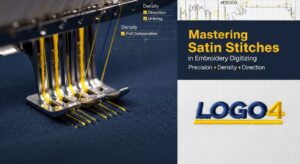
5. Testing and Refinement
A test sew-out is a small-scale trial run on scrap fabric.
Quality checks focus on whether satin columns align properly, if thread tension remains balanced, and if coverage looks smooth.
Thread breaks, uneven coverage, or shifting fabric can derail a design.
After spotting problems, digitizers revisit the design software to tweak stitch lengths, angles, or density settings.
6. Optimizing for Production
Once stable, the design must be optimized for faster stitching and fewer thread changes. Many embroidery digitizing services like Logo4Digitizing aim for efficiency.
Jump stitches are thread stretches between disconnected sections of the design.
Different fabrics and designs call for varying thread types. Selecting the correct needle size also avoids thread fraying or fabric damage.
Stabilizers prevent stretching and distortion during embroidery.
7. File Organization and Workflow
Once a design is complete, saving and organizing files helps future projects run smoothly.
A reliable workflow involves organizing files, naming layers logically, and grouping colors in a sensible order.
8. Equipment and Production Practices
Clean, well-maintained machines stitch more reliably and produce fewer thread breaks. Working with production staff or operators helps ensure that designs stitch correctly on factory floors.
Conclusion
Satin stitch form a core part of embroidery digitizing, lending a polished flair to text, borders, and images. Users interested in broadening their skills can seek training videos or short courses on custom embroidery digitizing. Consistent hands-on experimentation is vital for mastering satin stitch.